Dressmaker play ideas: make each dress an experiment
The fun of Dressmaker is making a choice, seeing it on the dress, then deciding what to try next. These three short challenges use the browser-hosted prototype on this site. The screenshots below are captures from that game, so you can see the exact screens we mean.
1. Compare two silhouettes with one fabric
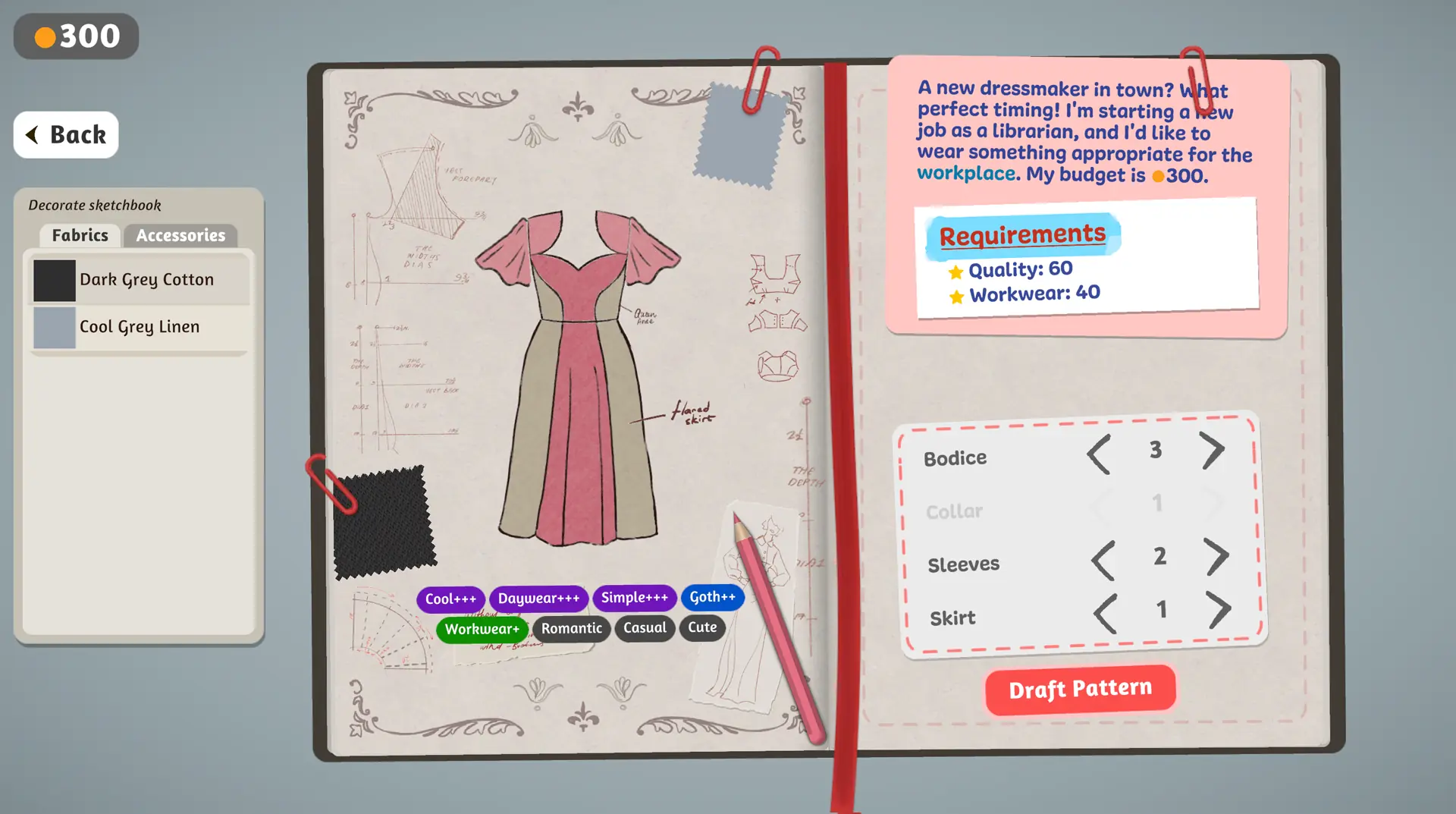
The sketchbook lets you move through dress-part choices. Hold your fabric choice steady, then change just the sleeves or skirt. This makes the shape easier to judge than changing several things at once. The visible Workwear style tag offers one clue for Rose's brief, but the finished result is the real check.
- Open the sketchbook and choose a fabric swatch.
- Look at one sleeve or skirt option; then move to the next option using the arrows.
- Decide which silhouette better fits the customer's request before pressing Draft Pattern.
2. Give Rose a workwear answer
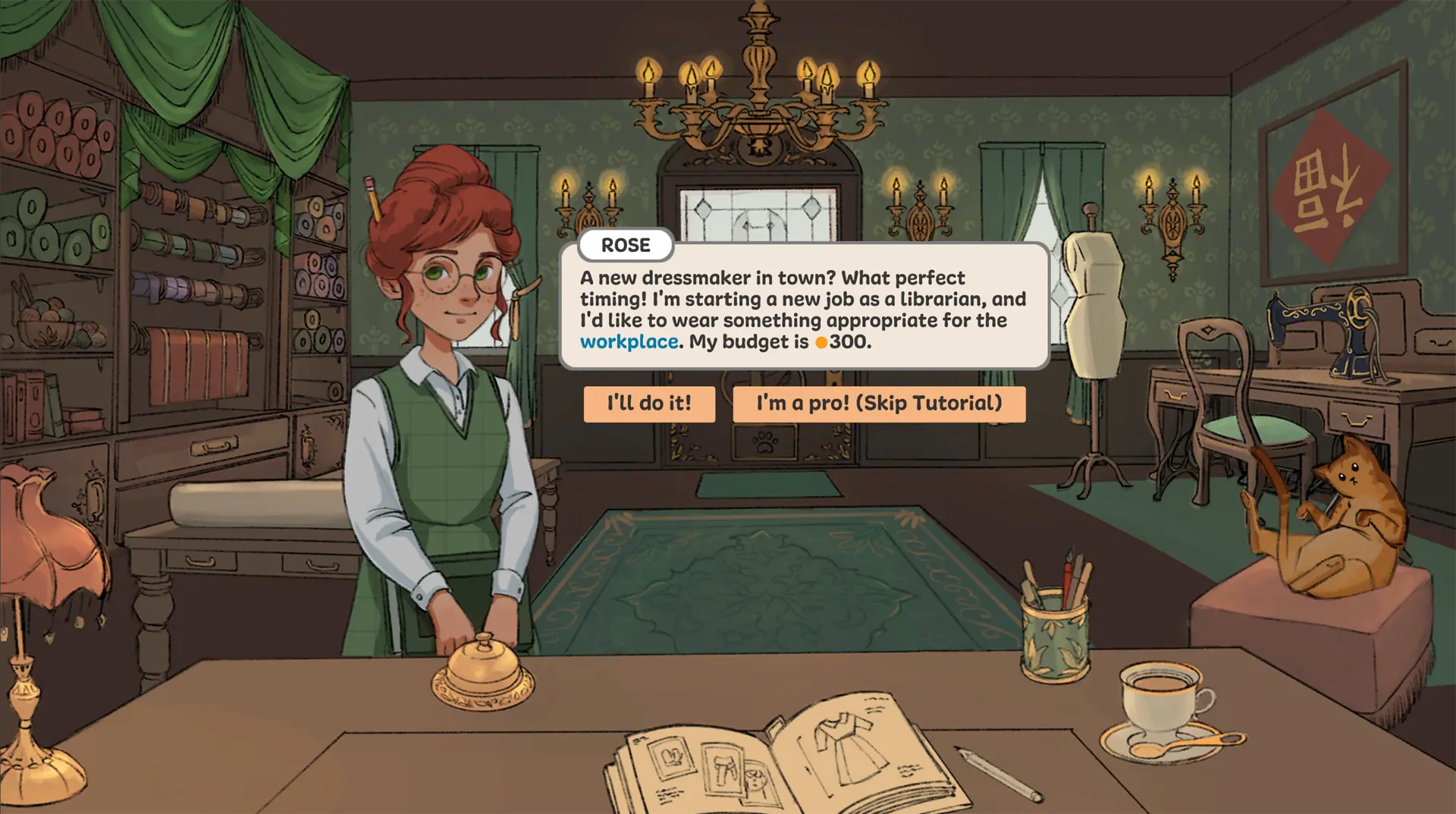
Rose says she is starting a librarian job and wants a workplace dress. Her displayed budget is 300. Treat that as a design brief: choose a shape and fabric you think suit her request, then see what the game says when the garment is finished. You can try a second interpretation later and compare your own choices.
- Read Rose's words before you accept or skip the tutorial.
- In the sketchbook, check the visible Quality 60 and Workwear 40 targets.
- Make the dress, then compare the finished values with those targets.
Follow Rose's first commission →Record the visible targets →
3. Compare a finished dress with its targets
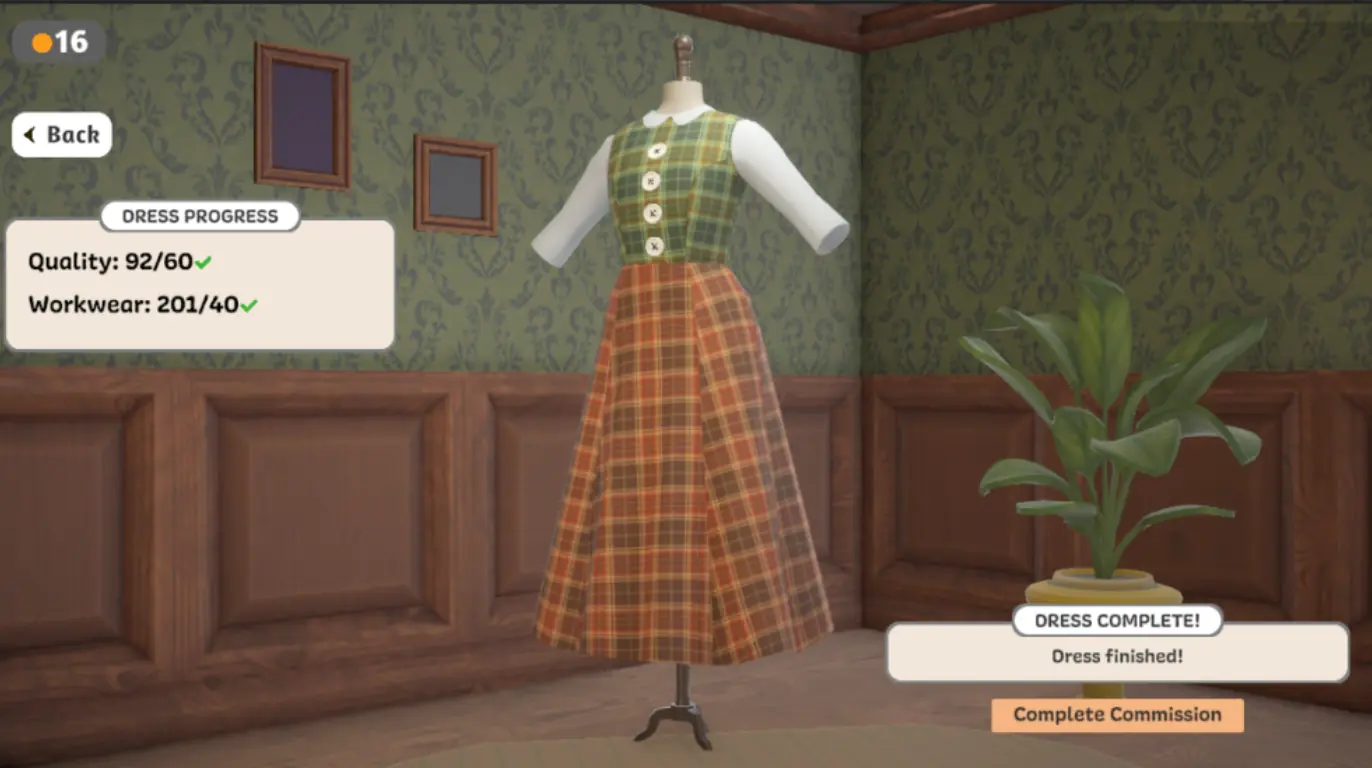
The result screen gives you a more useful question than “Is the dress finished?” In the pictured plaid dress, Dress Progress shows Quality 92/60 and Workwear 201/40, both marked with green checks. Another captured dress shows Quality 58/80 despite the “Dress finished!” message. These are different commissions, so compare each result only with the targets on its own screen.
- When you reach Dress Progress, read each value before and after the slash.
- Note which displayed targets are met and which are missed.
- For the next dress, change one design or making decision and compare the new result. The screenshots do not reveal a hidden scoring formula.
Compare the different below-target dress →Understand the result panel →
Keep experimenting
For a separate creative sandbox, try our original dress design studio. It is a site-made tool, separate from Dressmaker. For more on fabric, pattern placement and sewing in the game, see the fabrics and patterns guide.
Game and screenshot source: the playable browser-hosted prototype on this site. The creators describe the official downloadable prototype on itch.io, and the complete release on Steam.
Published: 29 October 2026