How to Read Quality and Style Targets in Dressmaker
A finished dress and a met customer target are two different things. The Dress Progress panel lets you check what this prototype displays before you choose Complete Commission.
Example A: both displayed targets are met
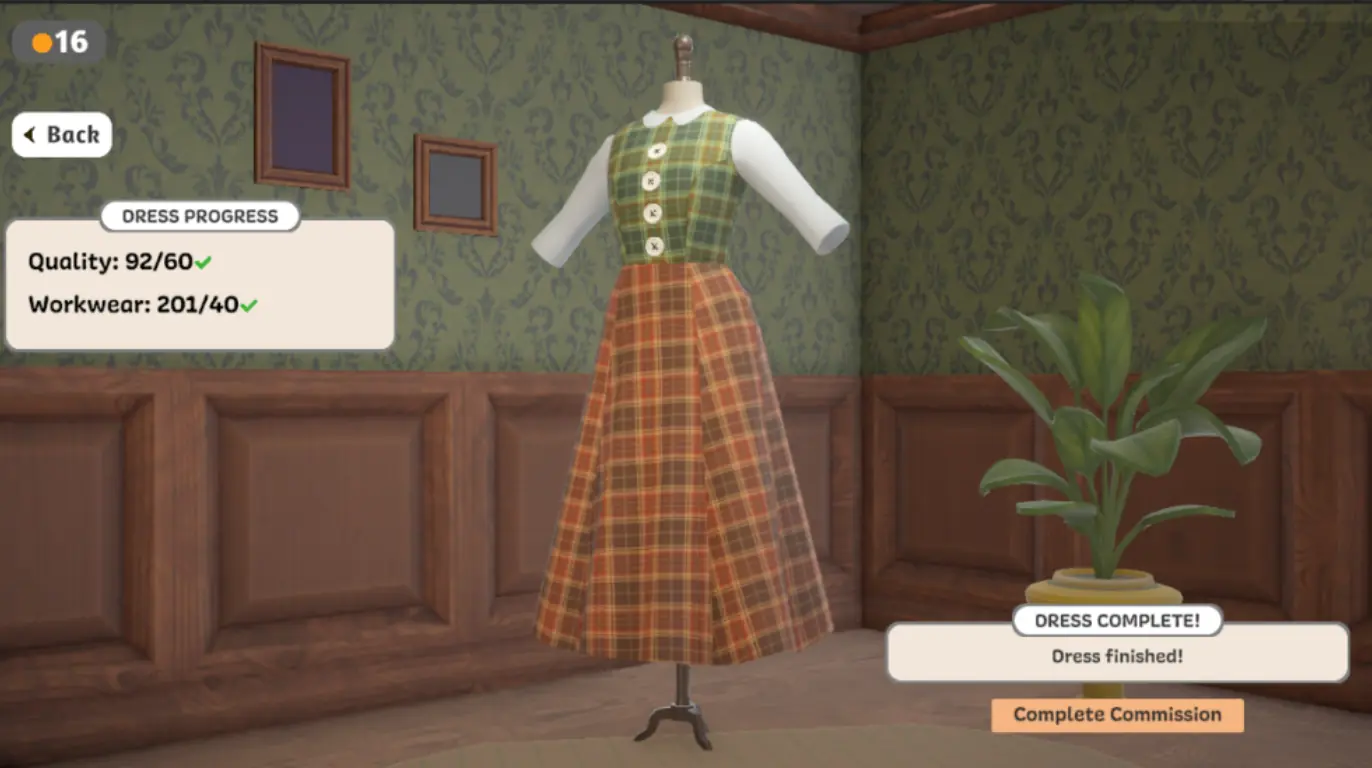
Read each pair as the displayed current value / displayed target. In this image, 92 is above the Quality target of 60, and 201 is above the Workwear target of 40. The green checks next to both lines agree with that reading. The panel is specific to this commission; another customer may ask for other style targets.
Example B: a dress can be finished below its quality target
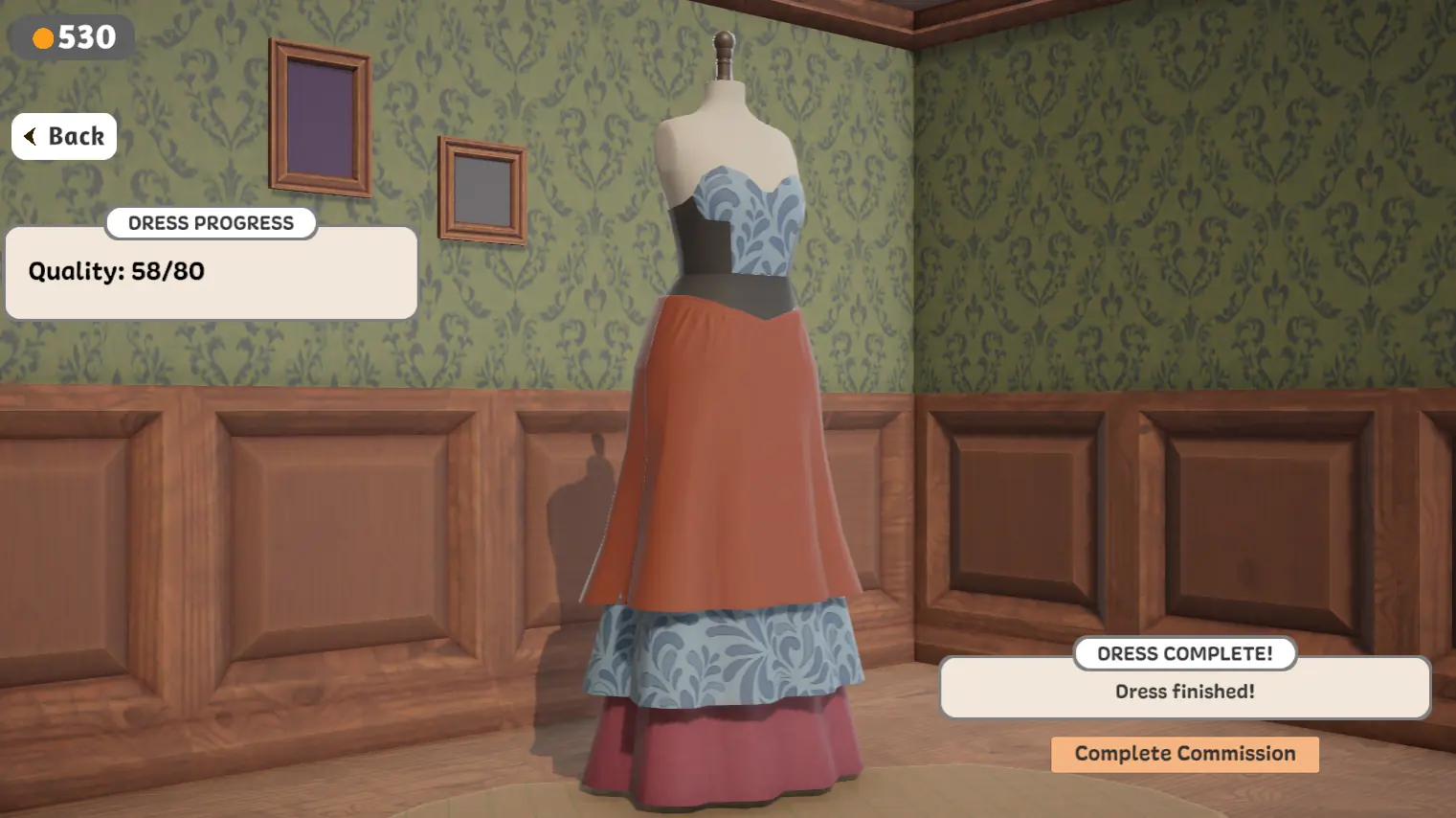
This second screen says Dress finished! and still shows a Complete Commission button. Its progress panel reads Quality: 58/80, without the green check visible in Example A. So the completion message tells you the making step is done; it does not, by itself, show that the displayed quality target has been met. The screenshot does not show the customer's final response, so do not infer one from it.
A useful result-check routine
- Before designing, record every requirement shown in the customer's brief or sketchbook. Rose's example shows Quality 60 and Workwear 40.
- When the dress is finished, read every line in Dress Progress, not just the completion message.
- Compare each current value with the target on the same line and note which lines show a green check.
- If a target is missing, record the gap. For example, 58 against 80 is 22 points below the displayed quality target.
- On a later attempt, change one design or making decision at a time. Keep your notes so you can see what actually helped in your build.
This routine is a way to learn from visible feedback, not a promise that a particular fabric or sewing move awards a specific number of points. For earlier steps, see the sewing and quality guide and the customer-request guide.
Common questions
Does “Dress finished!” mean the order passed?
No pass result is visible in these screenshots. Check the displayed targets, then observe the outcome after you complete the commission in your own game.
Is Quality 60 the target for every dress?
No. Rose's pictured order asks for 60, while the other pictured dress shows a target of 80. Read the target for the order you are playing.