How to Read Dressmaker Customer Requests
A commission gives the dress a purpose. Read the customer's words and the requirements panel together, then keep those clues visible while you choose a silhouette, fabric and details.
Start with the person and occasion
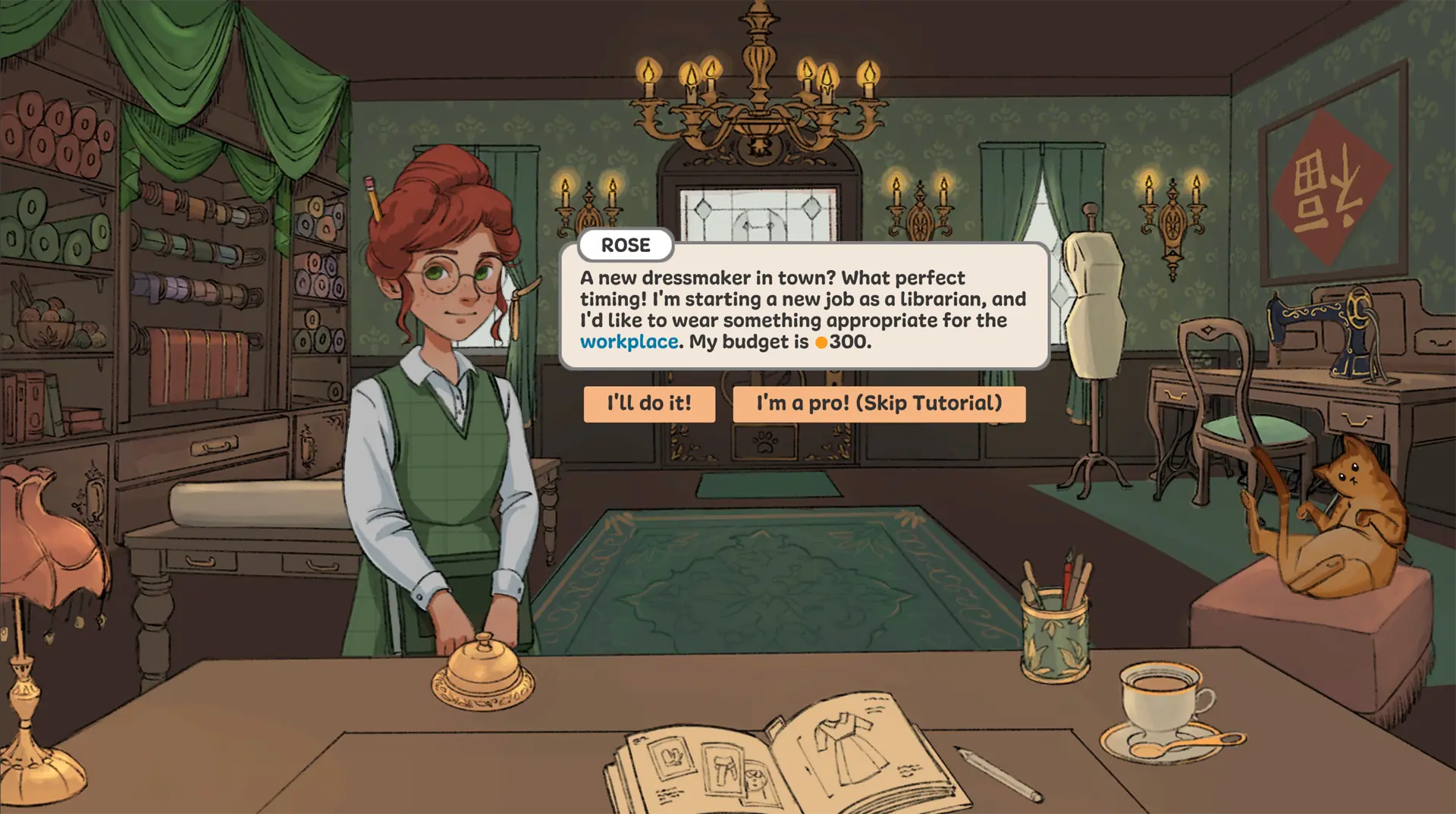
Rose tells you she is starting work as a librarian and wants an outfit appropriate for the workplace. That gives you an occasion and a style direction before you open the sketchbook. Her displayed budget is 300. Record the purpose and any explicit limit, then design within the brief rather than choosing a garment solely because it looks striking.
Translate the brief into visible checks
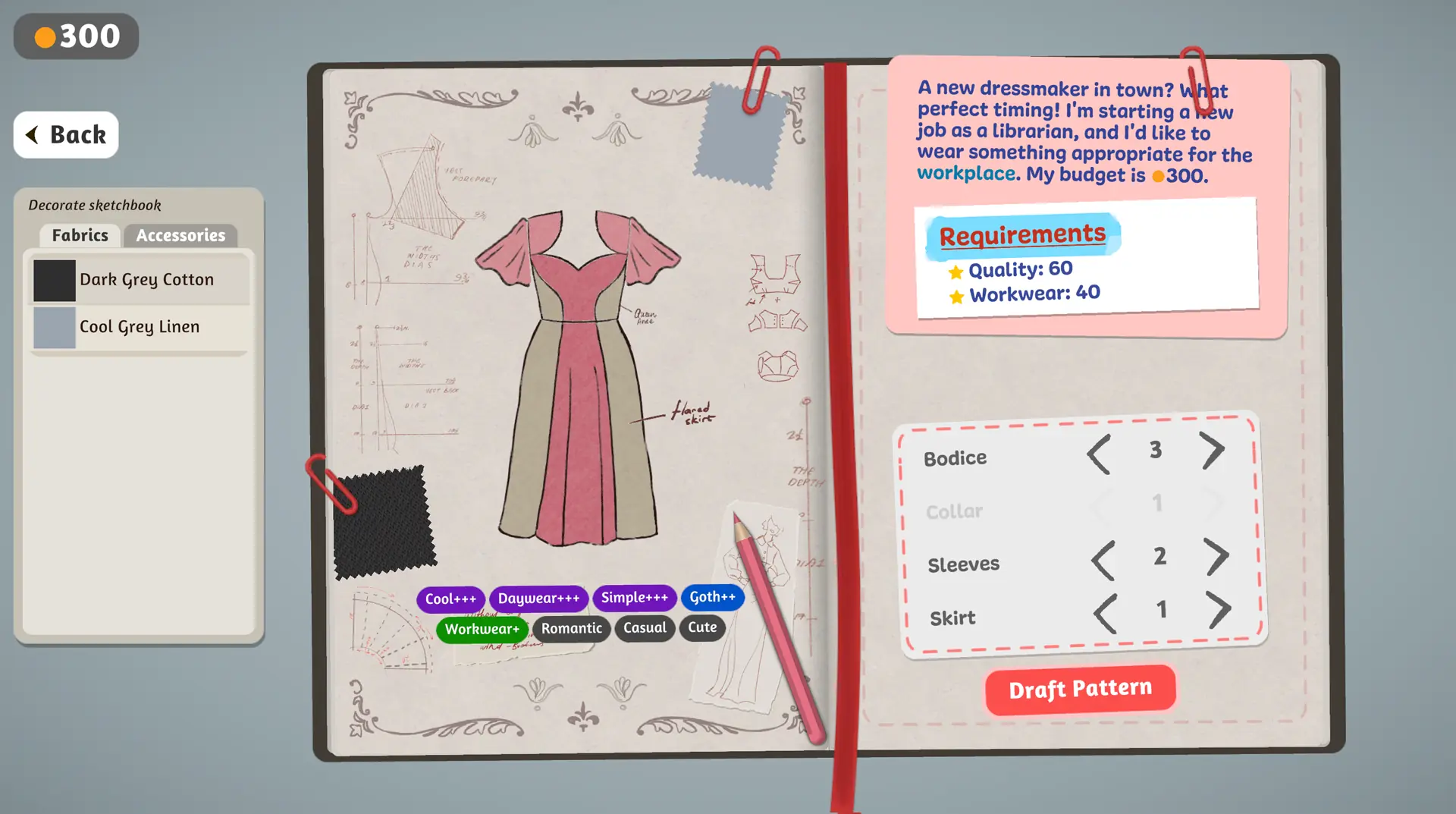
Rose's sketchbook view shows Quality 60 and Workwear 40 as requirements. The specific numbers belong to this example. For any order, first copy the labels and targets shown by your own build.
| Clue on screen | Question to ask while designing | Check at the end |
|---|---|---|
| Occasion or customer wording | Does the silhouette fit the purpose? | Does the completed dress still look suitable for that occasion? |
| Budget or material limit | Am I staying within the displayed constraint? | Check the game's own cost or remaining budget display. |
| Style target | Do the visible style tags support the request? | Compare the result panel with the target on this order. |
| Quality target | Have I checked layout, cutting and sewing carefully? | Compare the displayed quality value with the visible target. |
Review the commission after making the dress
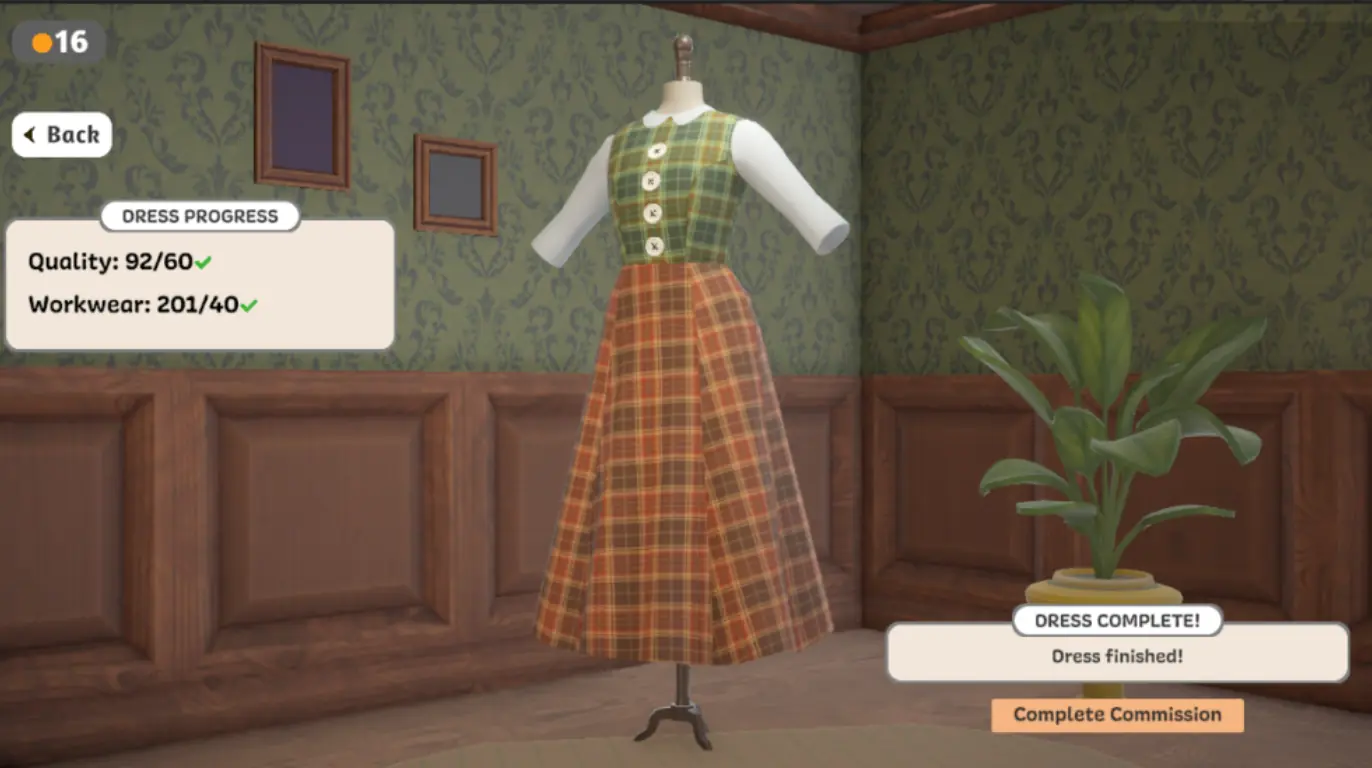
When the garment appears on the mannequin, read every visible result separately. In the example screenshot below, the dress passes the displayed Quality and Workwear targets. That does not reveal a general formula for other commissions. It shows a useful habit: compare the finished result with the original brief, then decide what one choice to change next time.
Keep a private brief
Our commission checker lets you enter the requirements you see and compare them with your own observed values. It stores your notes on your device; it does not read the game or calculate hidden scores. A simple note works too: customer, occasion, budget, stated target, chosen fabric, and final result.
The official Steam page describes the complete game's wider town of customers and custom dress commissions. This article's screenshots are from the smaller prototype.